Collect.
Scan paper, import a PDF or let ScanGPT find receipts in your photo library.
Photos, PDFs, paper slips. Keep every receipt together and find the original when your accountant asks.
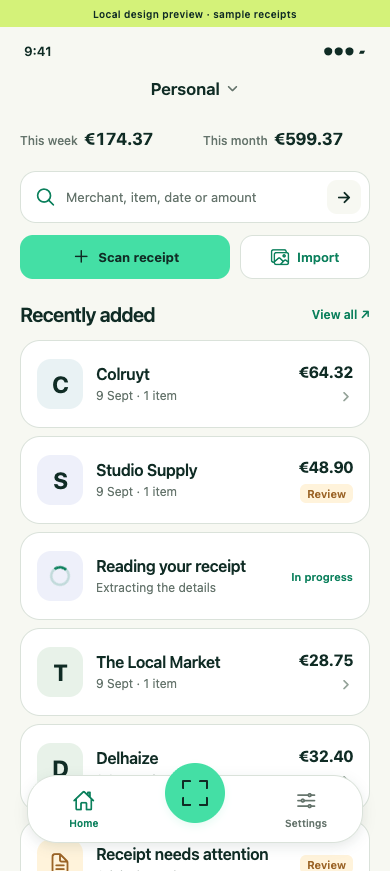
Scan paper, import a PDF or let ScanGPT find receipts in your photo library.
Search by shop, item, date or amount. The details are already extracted.
Open the original and share the proof. One less email to deal with.
For your accountant
“Can you send the receipt for €48.90?” Find it by amount or shop, open the original and send it on.
Try finding €48.90Allow photo access and ScanGPT finds receipt photos in the background, extracts the details and makes them searchable.
Connect your retailer accounts. Digital receipts arrive in the same place as your paper ones.
Keep household and business receipts in shared spaces, ready for the people who need them.
Connected through MCP
Connect ScanGPT through MCP to find purchases, check line items and answer your accountant’s next question.
Explore the MCP docs// Find the expense behind the question. { "storeName": "Studio Supply", "startDate": "2026-09-01", "endDate": "2026-09-30", "minAmount": 48.90, "maxAmount": 48.90 }
Scan it today. Find it when it matters.